
With Chase Online Bill Pay you can bank on your own schedule and save time and money by taking care of recurring bills without the hassle of writing a check or paying for postage.
If you have to pay for rent, a mortgage, utilities, credit card bills, car payments, or any other monthly bills, this service is perfect for you. Plus, Chase Online Bill Pay backed by Chase security so every transaction is totally safe.
If you need a bank account, consider signing up for the Chase Total Checking® + Chase SavingsSM accounts. Those of you looking for a premium bank account may want to consider the Chase Premier Plus CheckingSM account.
Chase Online Bill Pay Overview
Secure: You can pay bills on Chase’s mobile app or online without sharing any of your account details. With their online bill payment guarantee, you can pay bills without worrying about your information being leaked.
Easy Access: You can see bills and pay businesses directly with Chase Online Bill Pay. With the eBills, you can see statements and get reminders when an important bill is due.
Convenient: You can pay your bills and pay people from one place. You can keep tabs on your Chase credit card payments, eBills and Quickpay with Zelle requests in one place. You can also stay updated on the status of your payments and when money leaves your account!
How to Set Up Chase Online Bill Pay
With Chase Online Bill Pay you can set up the recurring payments, pay bills and transfer money without the inconvenience of writing a check or paying for postage! See how to set up an account below:
- Log in to your Chase Online Account.
- Locate the ‘Payments & Transfers’ tab at the top of the page.
- Under that section, click the ‘Pay Bills’ button.
- From here, you can add a payee.
- If adding a payee, you will need to input the payee’s name, address, phone number, and account number
- Once you have added in all your payees, you can schedule and verify your payments.
- For added convenience, schedule repeating payments to help avoid late fees by making sure payments are sent on time.
Chase Bank Promotions
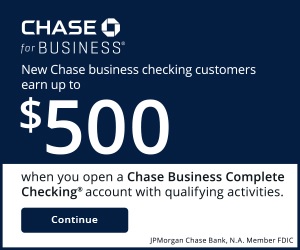 • Earn up to $500 when you open a new Chase Business Complete Checking® account. For new Chase business checking customers with qualifying activities. • Get added features at no additional costs. Choose Chase Business Complete Banking® to get a fully integrated business solution that can help you control costs. Waive the $15 Monthly Service Fee in multiple ways like keeping a minimum $2,000 balance, plus use built-in offerings such as card acceptance, invoicing, Chase Customer Insights and Tap to Pay on iPhone at no additional cost. • Bank with confidence. Feel confident knowing we have the largest branch network in the U.S. with 5,000 branches that provide personalized service and can help with your complex banking needs. You can also benefit from our account protection services, which provide safeguards by overseeing employee account activity, monitoring checks, and offering additional protection for your business. • Access top-rated online business banking. Take advantage of our #1-ranked online small business banking platform with a comprehensive set of features designed for small business owners like you. Our tools enhance your ability to manage cash flow, accept and make payments, create invoices and plan for growth, so you can streamline processes and gain greater control of your finances. |
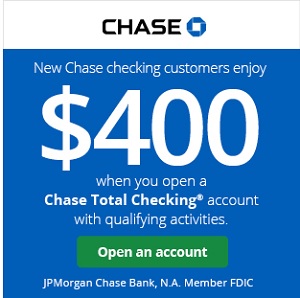 • New Chase checking customers can receive $400 when you open a Chase Total Checking® account and make direct deposits totaling $1,000 or more within 90 days of coupon enrollment. • Unlock more offers with Chase. Get up to $500 per calendar year by referring friends and family. Plus, get cash back from top brands with Chase Offers when you use your debit card. • Chase Total Checking® has a $15 monthly service fee, you can easily avoid the fee with direct deposits totaling $500 or more, or a minimum average daily balance each statement period. • Chase Overdraft AssistSM – no overdraft fees if you’re overdrawn by $50 or less at the end of the business day or if you’re overdrawn by more than $50 and bring your account balance to overdrawn by $50 or less at the end of the next business day* • Chase Mobile® app makes banking simple. Manage accounts, pay bills, send money to friends with Zelle® and deposit checks on the go with Chase Quick DepositSM . • Chase has the largest branch network in the U.S. with thousands of ATMs and branches. Use the Chase locator tool to find a branch or ATM near you. • Chase helps keep your money protected with features like Zero Liability Protection, fraud monitoring and card lock. • Chase Total Checking includes FDIC insurance up to the maximum amount allowed by law. *With Chase Overdraft AssistSM, we won’t charge an Overdraft Fee if you’re overdrawn by $50 or less at the end of the business day OR if you’re overdrawn by more than $50 and you bring your account balance to overdrawn by $50 or less at the end of the next business day (you have until 11 PM ET (8 PM PT) to make a deposit or transfer). Chase Overdraft Assist does not require enrollment and comes with eligible Chase checking accounts. |
 • Elevate your banking relationship and enjoy a bonus up to $3,000 when you open a new Chase Private Client CheckingSM account with qualifying activities. • Personalized banking made easier with premium benefits, 24/7 support and access to your banking and investment accounts in one place in the Chase Mobile® app. • Earn $1,000 when you deposit $150,000 or earn $2,000 when you deposit $250,000 or earn $3,000 when you deposit $500,000+. • Get up to a $3,000 bonus when you open or upgrade to a Chase Private Client account, a premium checking account which provides you with a dedicated banker and receive investing guidance from J.P. Morgan Wealth Management to help you reach your financial goals. • Receive personalized wealth strategies from a J.P. Morgan advisor. Your J.P. Morgan advisor gets to know you, your family and your goals to build a custom financial strategy and investment portfolio that reflects your evolving priorities. • Bank deposit accounts, such as checking and savings, may be subject to approval. Deposit products provided by JPMorgan Chase Bank, N.A. Member FDIC. |
 |
 |
 |
 |
Bottom Line
Being able to set up Chase Online Bill Pay allows you to pay your bills faster without the hassle of writing a check or paying for postage. You can even schedule recurring payments so that you never have to worry about missing a bill.
If you need a bank account and want to learn more about Chase, check out all of the options available from the latest Chase Promotions.




i have had a great deal of hassle with paying my bills.my mouse died and I tried to connect you on the computer, but microsoft edge has given me a problem from day 1. I would like to pay my bills but have worked on it for two days. I called on the phone but can’t talk to anyone about this problem.